This is an old revision of the document!
Online Help (2.x) > Other features
How to report errors?
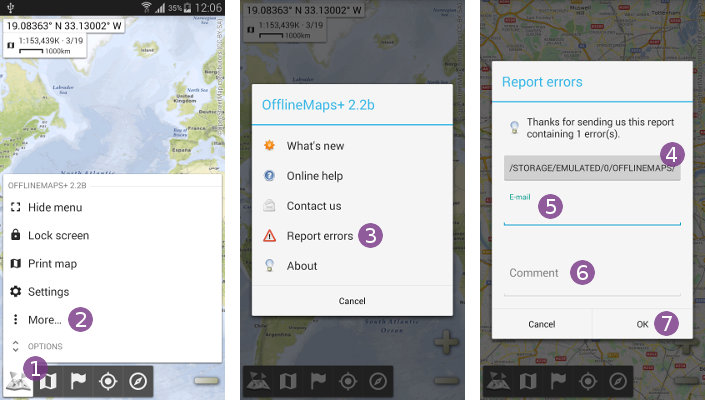
If you've experienced errors or any strange behaviors while using the application, don't hesitate to send us a report and a small description:
- Click on the main menu icon
 and select “
More…” ;
; - Select the “
Report errors” item.
item.
If you want, you can check the log report that the application will send to us by clicking on the button  .
.
- If you want us to contact you back if needed, enter your e-mail address in the field
 ;
; - In the “
Comment” text field, please describe your problem precisely;
 - Click on the “
Ok” button to send the report.